
Trail Rider Education Program
The BCHBC Trail Rider Education Program is a 4-level initiative with a focus on the safety, skills and knowledge required for trail riding. It begins with basic riding skills and progresses through camping with your horse to the possibility of learning to guide pack trips.
This 4-Level Program can be used by an individual or as a group (such as a Chapter). In both cases the steps are similar.
- Review 4-Level Trail Rider Program Handbook
- From any of the 4 levels, select skills to be worked on
- Work with a coach or instructor to achieve the goals of selected skill
- For group work, you could arrange a clinic for the group or combine the learning with a social function or event/ride
- Once a goal is achieved, have the coach/instructor initial your handbook
This program is competency based and does not offer certification once complete. However, individuals could obtain certification, where made available through other certifying organizations or coaches (e.g. Certified Horsemanship Association)
A good summary of the skills required for each level can be found in the BCHBC 4-Level Education Program Overview. And the BCHBC 4-Level Trail Rider’s Handbook provides details of each test, score sheets and checklists.
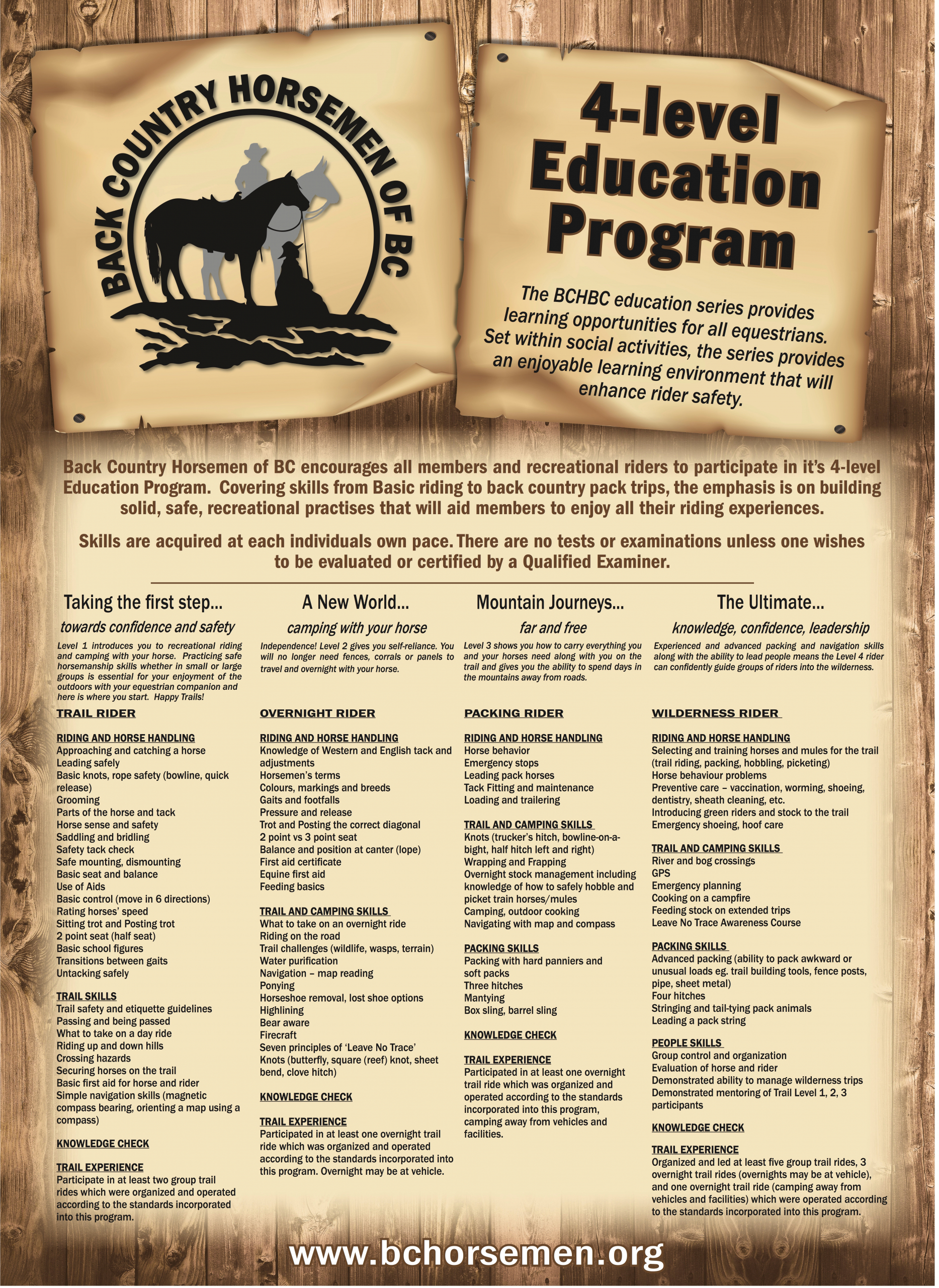
Read more about the roots of the BCHBC Trail Rider Education Program.
read more
Local chapters offer a wide range of opportunities, including trail riding with their four-legged trail mate, horse camping, educational events, and social gatherings. No matter where you live in BC, there’s likely a BCHBC chapter ready to welcome you.
Don’t miss our annual Provincial Rendezvous, where members from across the province come together for an exciting weekend of workshops, learning, enjoying trails on their equine partner, and lively social events. Join BCHBC and become part of a community that celebrates horses, trail riding, and adventure.